


Shopify maintenance isn't Magento maintenance with a new name
On Magento, maintenance means versions, security patches and PHP updates. On Shopify none of that exists as a task: the platform updates itself. If someone pitches you Shopify maintenance on that basis, they're selling you the wrong service.
What does need maintaining is everything built on top of the platform, and that's where agency work comes in.
What we maintain
The theme
 Design changes, conversion improvements and performance tuning on the theme code, which is yours and can be rewritten without limits.
The app stack
 Regular review of which apps are still needed, which ones overlap, and how much they add up to per month. It's the cost line that runs out of control fastest without oversight.
Integrations
 ERP, CRM, gateway and logistics keep working when an API version changes or when Shopify retires an old mechanism, as happened with
 checkout.liquid.
The deadlines Shopify sets
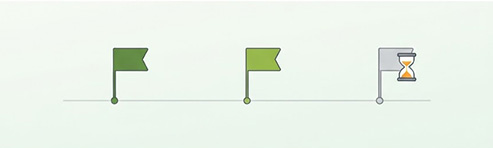 Shopify announces deprecations with a hard deadline, like the removal of script tags (October 1, 2026 and March 1, 2027): it pays to get ahead of them before something stops working overnight.
Maintenance here is billed for the work that's actually needed, not a flat fee dressed up as insurance. If your store has no apps to review and no integrations to watch, we'll say so and scope the service to what's actually there, not the other way around.
Frequently asked questions about Shopify maintenance
How often does the Shopify API change, and what happens if my integration falls behind?
Shopify releases a new API version every three months, on the first day of each quarter, and each version is supported for at least 12 months. When an integration requests a version that is no longer available, Shopify does not reject it: it responds with the oldest version still active. That prevents a sudden outage, but fields or behaviour can change without anyone having tested it. That is why we review integrations and the deprecation notices Shopify publishes every quarter, and adapt the code before the version they use disappears.
What happens to my customisations when the theme is updated?
It depends on the type of update. Automatic ones, which Shopify applies to fix bugs or security issues, do not change the look or the settings. Version updates are added as a new draft copy: if your code changes do not clash with the update, they carry over on their own; if they clash, they have to be moved to the new version by hand. On heavily modified themes that takes work, and we prefer to do it on the copy, test it and publish it afterwards, never on the live theme.
If something breaks in the store, who fixes it: Shopify or the agency?
It depends on which layer breaks. Infrastructure, the platform core, server security and uptime belong to Shopify, and nobody else can step in there. The theme, integrations and custom development belong to whoever built and maintains them. Apps belong to their developers, although deciding which ones stay, what permissions they have and what to do when they fail is maintenance work. Part of what we do is pinpoint which layer the problem is in, so no time is wasted looking for it in the wrong place.
Could something have stopped working on my order confirmation page?
If it used older customisations, it is possible. Shopify retired checkout.liquid, additional scripts and script tags from the Thank you and Order status pages: on Plus stores on 28 August 2025 and on all other stores on 26 August 2026. It does not affect every store, only those that served conversion pixels, post-purchase offers or loyalty programmes through those routes. If any of that data stopped reaching your analytics at the end of August, that is the first suspect. It is rebuilt with checkout blocks or web pixels.
Who maintains your Shopify store today?
Tell us what you've got set up (apps, integrations, customisations) and we'll tell you what needs watching and what doesn't.