


Shopify handles the infrastructure, not what you build on top of it
Shopify manages the server, security and uptime during sales peaks. What decides whether your store loads fast, charges correctly and doesn't expose more data than it should is the theme, the app stack and how checkout is configured, and that's agency work, not the platform's job.
We don't run an eight-layer, hundred-page audit. We check 10 concrete, verifiable points on your own store and tell you what's worth fixing and in what order.
The 10 points we check
1. Plan fit
 If you sync with an ERP or get load spikes, your plan has an API request limit (100 points/s on Basic and Grow, 200 on Advanced, 1,000 on Plus). We check whether the plan can handle your real operation.
2. Gateway fee
 If you are not using Shopify Payments, you pay an extra fee of up to 2% on Basic (0.2% on Plus). At high volume, we calculate whether switching gateways pays off.
3. Real app spend
 We check which apps overlap, which ones nobody remembers installing, and how much they add up to per month. It's the cost line that gets the least oversight and offers the most room to cut.
4. Leftover code
 When an app that injected code straight into the theme gets uninstalled, that code usually stays behind. We look for orphaned scripts still loading and dragging down speed.
5. App permissions
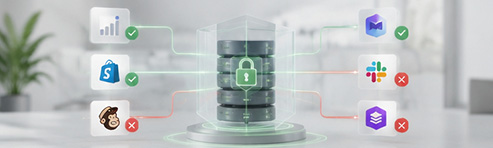 We check what access each active app has to customer and order data, and whether that access is justified by what it actually does.
6. Checkout migration
 Shopify removed
 checkout.liquid and the old customization mechanisms (deadline for non-Plus stores: August 26, 2026, already passed). We check whether your store still depends on something that's no longer supported.
7. Payment methods
 We check whether checkout has accelerated payment methods enabled (Shop Pay, Apple Pay) and whether the setup is making the most of what Shopify already offers out of the box.
8. Real Core Web Vitals
 We measure LCP, INP and CLS with real user data, not just lab data, and compare them against your sector's competitors.
9. App weight on performance
 Every installed app adds JavaScript that runs on every visit. We measure how much load time the whole stack adds up to and what can be removed without losing functionality.
10. Technical SEO
 We check for structural duplication between products and collections, and whether the theme's internal links point to the canonical URL or are quietly undermining it.
The result isn't an unordered list of errors: every finding comes with what it costs to leave as is and what it costs to fix, so the decision of where to start is yours, with the numbers in front of you.
Frequently asked questions about Shopify store audits
Do I have to give you full access to my store for the audit?
No. We request collaborator access, the mechanism Shopify provides for its partners: the request reaches you by email and in your admin, you decide whether to approve it, you choose which sections we can access and you can withdraw it whenever you like. It does not take up any of the user accounts in your plan. Anything that needs testing in the theme is done on a copy, never on the published theme, so the store keeps selling as normal while we review it.
What happens to an app's code when I uninstall it?
It depends on how the app is built. If it uses theme app extensions (app blocks or app embeds), its code lives outside the theme and disappears when you uninstall it. If it wrote directly into the theme files when it was installed, that code stays where it was and keeps loading on every visit. And if it relied on script tags, they are usually removed on uninstall, but not always. That is why we do not look for leftovers from every app: we focus on the ones that touched the theme or used script tags, which is where they turn up.
What changes with the retirement of script tags?
Script tags are the old mechanism many apps used to load JavaScript on the store without touching the theme. From 1 October 2026 apps can no longer create or update them, and on 1 March 2027 Shopify will stop loading them. Anything that depends on them (widgets, conversion pixels, older customisations) will stop working that day unless someone migrates it beforehand to a theme app extension or, for analytics, to a web pixel. In the audit we tell you which apps in your store still depend on them.
Can the credentials of an old integration be changed?
For custom apps created from the Shopify admin, no: neither the API key nor the secret can be rotated, and getting a new token means uninstalling and reinstalling the app. Many of these integrations run on tokens that never expire and broad permissions nobody remembers granting. In our view, it is worth taking the opportunity to rebuild the integration as a custom distribution app, with managed credentials and only the permissions it needs. Reinstalling the same app leaves the problem as it was.
How often should the review be repeated?
The full audit makes sense once, or when the store changes a lot. What we do recommend repeating every quarter is a short review: removing apps that are no longer used, checking the permissions of those that access customers and orders, looking for leftovers from uninstalled ones and checking where active webhooks point. We also favour giving each app an internal owner and never installing anything in production "just to try it". Without those two rules, within a year the store is back where it started.
What state is your Shopify store in?
Tell us about your store and what worries you (cost, speed, an app you're not sure you still need). We'll tell you what we'd likely find before we start.